Three steps to a calmer WhatsApp inbox.
Castling: Start with a draft you can review. Choose how much Castling does in each chat.
Three steps, a few minutes.
Sign in and open your workspace
Choose Google sign-in. Your workspace is ready with free AI credits to try; no credit card is needed.
You can look around before connecting a number.
Connect the WhatsApp number you already use
Scan a QR code, like WhatsApp Web, or connect the official WhatsApp Cloud API.
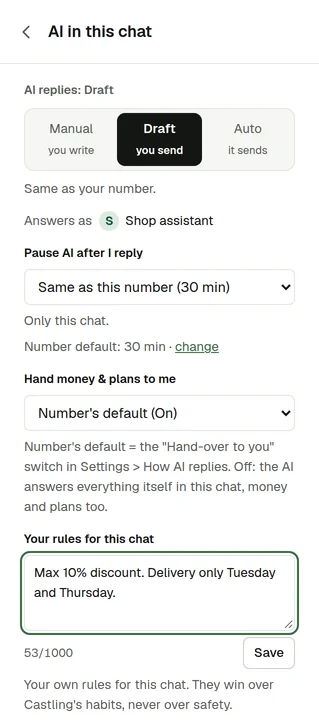
Start with Draft so you can read and edit replies before they go out.
Choose how each chat is handled
Set a chat or group to Off, Draft or Auto. Edit a reply, cancel one that is waiting, or take over the conversation.
When a question is uncertain, Castling hands the chat back to you.
You stay in the loop.
You stay in control of the pace. Change a chat’s setting whenever you need to.
See the features